Git
A program that is the current standard for version control
Exercises to complete after reading below
- Complete level 1 of Code School's Try Git. (15 min)
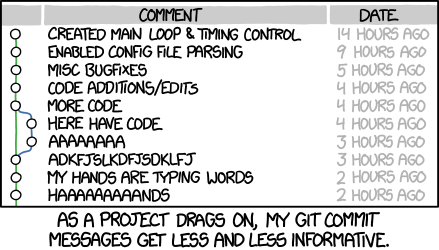
The above comic is a joke about how every time you create one of these waypoints in your code, called 'commits', often times you get lazier and lazier giving them helpful 'commit messages'.
Git allows you to go back in time
Think of Apple's Time Machine. If you mess something up and your project is under Git version control, you can go back in time to fix it. You must make commits often for this functionality to be useful though.
Git allows you to make waypoints (commits)
When you make changes to your code, you can wrap them up in a chunk of edits, called a commit, so you can revert back to it if you break something. You have to consciously do this every so often and label them properly so you and others on the project will find it useful.
Git allows you to work in alternate realities of your project (branches)
If everything in your project occurred on the same timeline, you wouldn't be able to go crazy and try something completely experimental without risking your good code. Also, if you were collaborating with a team, everybody would bump into each other if they were adding code to the same project timeline.
To solve this, Git allows for projects to have several branches. When you first initialize Git for your project, you have the master branch by default. Most people treat this branch as the ongoing final draft. Everything on master is what currently works and what we can show the world.
However, when we want to build stuff (and inevitably break other stuff) we want to do it in a place where we can't break the good code. Therefore we create a new branch with a name of our choosing, let's say charlottes_redesign. On this branch, Charlotte has her own 'alternate reality' where all of her code will remain separate from the good working code on master until she is ready to merge the code from charlottes_redesign into master.
Git allows you to easily send your project elsewhere
You can use Git to easily send your project to be hosted on GitHub or be deployed to a hosting service like Heroku.